Merchants often ask whether they need a wishlist app, a back-in-stock app or both. The two are sold side by side and sometimes bundled, and they do share a goal: keeping shoppers connected to products they are not ready to buy right now. But they solve different problems, cost different amounts of effort and send different signals. This post compares them plainly. Griffin is a restock alert app and does not offer a wishlist, so we have an interest in being clear about the line between them, and we will say where a wishlist is the better tool. Choosing between a wishlist and back-in-stock alerts depends on your store, and we do not claim either one lifts sales by a particular amount.
What a Wishlist Does
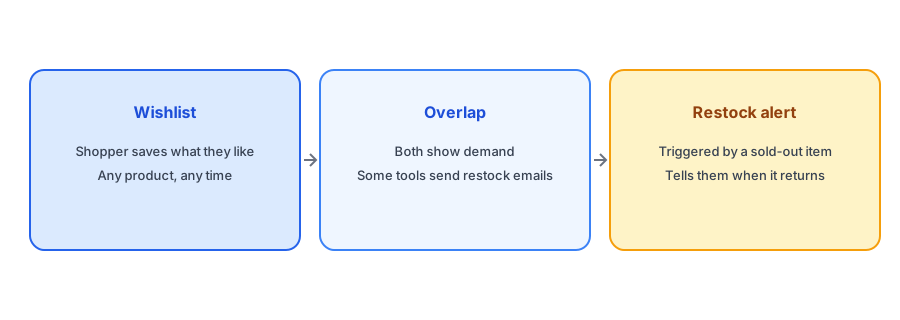
A wishlist lets a shopper save products they like, usually with a heart or save button, to come back to later. It works on any product, in stock or not, and its use cases are broad: browsing and comparing, saving gift ideas, building a list to share, coming back after payday. The shopper starts the action when they feel interest, and the product does not need to be unavailable. Some wishlist apps send reminder emails, such as a price drop or a low-stock alert, for saved items.
What a Back-in-Stock Alert Does
A restock alert solves one problem: the shopper wants something that is sold out. They are shown a form on the product page, give an email address and are told when the item returns. The trigger is unavailability, and the intent is high, since the shopper was ready to buy. The alert is tied to a specific variant, so only people waiting for that size or color are told. Our guide to variant-level alerts explains why that precision matters.
Where They Overlap
Both tools capture a signal of interest and both can bring a shopper back. Some wishlist apps send a notification when a saved item returns to stock, which makes them partly a restock tool, and some restock tools collect a list of items people want. The overlap is real, which is why merchants get confused. The difference is the starting point. A wishlist starts from general interest and may include restock as a feature. A restock app starts from the sold-out moment and does that one job in depth.
If sold-out products are your main problem, start there. Griffin adds Notify Me to each sold-out variant and is free to start.
Install Griffin on ShopifyWhich Should a Small Store Install First?
Start with the problem that costs you most. If you regularly sell out and visitors leave when they find a dead end, a restock alert gives an immediate, measurable fix: every sold-out page gets a way to capture interest, and each alert can be tied to orders. If your issue is browsing behavior, such as people who like products but do not buy, or you sell gifts where shoppers compile lists, a wishlist may serve you better. Many small stores need only one, and adding both increases the number of apps, scripts and settings you have to maintain. Our post on how apps affect page speed explains how to test the cost of each.
Using the Two Together
If you do run both, keep their messages from colliding. A shopper who saved an item and also asked for a restock alert should not receive two emails about the same event. Check how each app sends notifications, and decide which one owns the restock message. Keep consent clear too: someone who saved an item has not necessarily agreed to marketing emails, and someone who asked for a restock alert asked for that alert. Our guide to using signup data without crossing the consent line covers it.
Demand Data From Each
Both tools produce demand signals. Wishlist counts show general interest in products, including ones that are in stock. Restock signups show demand that you failed to serve at the moment of purchase. The second is a stronger prompt to reorder, because it represents shoppers who wanted to buy and could not. Our post on tracking customer demand for out-of-stock products shows how to use it.
A Practical Checklist
- List your biggest problem: sold-out dead ends or low return visits from browsers.
- Install the tool that addresses that problem first.
- Test page speed and theme impact before adding a second app.
- If you run both, decide which one sends the restock email.
- Do not assume a wishlist save is consent to marketing.
FAQ
What is the difference between a wishlist and a back-in-stock alert?
A wishlist saves any product a shopper likes. A restock alert responds to a sold-out item and tells the shopper when it is available again.
Do I need both?
Many small stores need only one. Choose the tool that fixes your biggest problem and add the second only if there is a clear reason.
Does Griffin include a wishlist?
No. Griffin is a back-in-stock notification app that emails subscribers when a sold-out variant returns.
Can a wishlist app send restock emails?
Some can, as a feature. Check what each app does so that two tools do not email the same shopper about the same event.
The Bottom Line
A wishlist stores general interest, while a restock alert answers one clear problem. Fix the sold-out dead end first. Griffin is a Shopify back-in-stock app you can install from the Shopify App Store, free to start.